
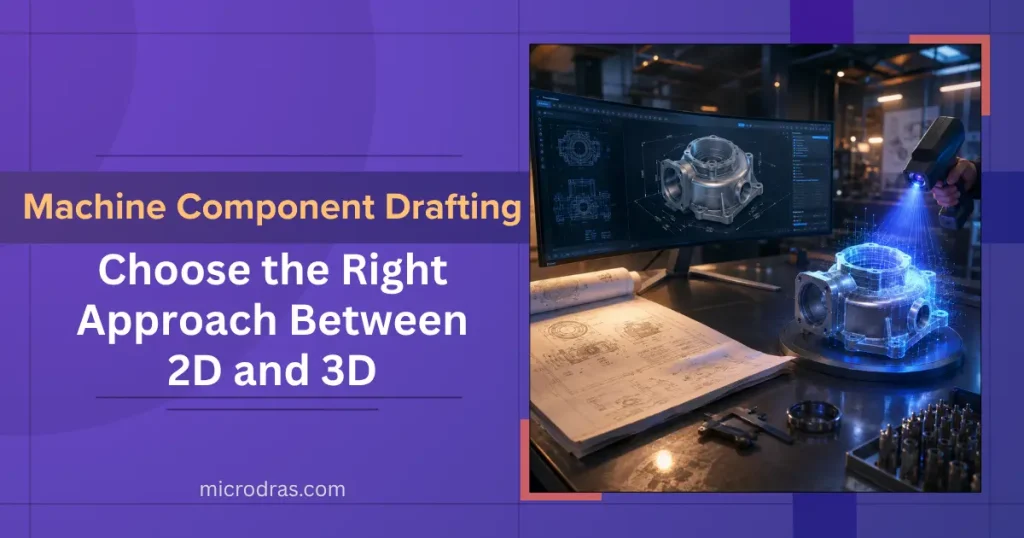
“Choosing between 2D and 3D machine component drafting is not just a format decision — it defines your entire engineering workflow, error rate, and production speed.”
When engineers and manufacturers discuss machine component drafting, two approaches dominate every conversation: 2D drafting and 3D drafting. Both serve the same fundamental goal — producing precise technical representations of mechanical parts — but their methods, outputs, and downstream value differ significantly. Understanding these differences is critical before outsourcing or initiating any mechanical drafting project.
From workshop floors to global supply chains, the drafting format you choose directly impacts fabrication accuracy, revision cycles, team communication, and production cost. If your team is evaluating which approach suits your next project, explore our dedicated machine component drafting services to understand how professionals handle both formats with precision.
Understanding 2D Machine Component Drafting
2D drafting is the traditional method of producing flat, orthographic representations of machine components. These drawings — typically created in AutoCAD or similar platforms — present a component through multiple views: front, top, side, and section views. Each view is drawn to scale, annotated with dimensions, tolerances, and material callouts, and compiled into a drawing sheet for production use.
2D drawings are the standard output for shop floor fabrication, CNC machining programs, and manufacturing documentation. They communicate directly with machinists who are trained to interpret orthographic projections. They are lightweight files, universally compatible across DWG/DXF formats, and highly efficient for simple-to-moderate component geometry.
Key Elements of a 2D Machine Component Drawing
- Orthographic views — Front, top, side, auxiliary, and section cuts
- GD&T annotations — Geometric Dimensioning & Tolerancing per ASME Y14.5
- Title block data — Part number, material, revision history, scale
- Surface finish & weld symbols — Machining and assembly callouts
- Bill of Materials (BOM) — For assembly and sub-assembly sheets
Why 3D Drafting Is Reshaping Mechanical Engineering
The shift to 3D machine component drafting is an industry-wide operational upgrade backed by measurable outcomes.
40%
Reduction in design revision cycles when using 3D parametric models
3×
Faster clash detection in assemblies with 3D vs 2D review processes
60%
Fewer manufacturing errors on projects using 3D model-based definition
3D machine component drafting uses parametric solid modeling to create full digital representations of a part — capturing geometry, mass properties, tolerances, and assembly behaviour in a single model file. Tools like SolidWorks, CATIA, Inventor, and Creo are the industry standard for this approach.
Unlike 2D views that require the reader to mentally reconstruct the part, a 3D model is self-explanatory — reducing interpretation errors across engineering, procurement, and production teams working in different geographies.

2D vs 3D Machine Component Drafting: Full Comparison
The table below maps out the critical differences between 2D drafting and 3D drafting across every dimension that matters for your project — from software and output type to cost and best-fit use case.
| Parameter | 2D Drafting | 3D Drafting |
|---|---|---|
| Representation | Flat orthographic views (front, top, side) | Full solid parametric model with geometry |
| Primary Software | AutoCAD, DraftSight, BricsCAD | SolidWorks, CATIA, Inventor, Creo, Fusion 360 |
| Output Format | DWG, DXF, PDF drawing sheets | STEP, IGES, STL, native CAD + derived 2D drawings |
| Visual Clarity | Requires engineering expertise to interpret | Intuitive — visible to all stakeholders |
| Design Changes | Manual redraw of affected views | Parametric update — all views regenerate automatically |
| Clash Detection | Not possible — manual review only | Built-in assembly interference detection |
| Simulation Support | Not supported | FEA, motion, thermal analysis ready |
| File Size | Lightweight — fast to share | Larger files — requires capable hardware |
| Cost to Produce | Lower for simple parts | Higher upfront; lower rework cost overall |
| Best For | Simple parts, machining drawings, legacy systems | Complex assemblies, new product development, global teams |
| Standards | ASME Y14.5, ISO 128 | ASME Y14.41 (model-based definition), ISO 16792 |
| Manufacturing Use | Direct shop floor use by machinists | CAM software input, 3D printing, digital twin |
* Cost and time estimates vary by project complexity, part count, and revision frequency.
When to Use 2D vs 3D — Real-World Scenarios
Not every project demands 3D. Here are six common engineering scenarios and which drafting approach delivers the best result.
CNC Machined Parts
Standard machined brackets, bushings, and housings are well-served by 2D shop drawings with full GD&T annotations.
Complex Mechanical Assemblies
3D modeling is essential when multiple moving parts must fit together — especially for interference and motion checks.
Additive Manufacturing
3D file formats (STL, STEP) are required inputs — 2D drawings alone cannot drive additive processes.
Legacy Documentation Updates
Updating old paper drawings into 2D CAD files is faster and cost-effective for stable, unchanged parts.
Global Multi-Team Projects
3D models eliminate interpretation barriers — every engineering team sees the same geometry regardless of location.
New Product Development
Early-stage design exploration benefits enormously from 3D parametric models that adapt as requirements evolve.
Expert Insight: What Defines a High-Quality Drafting Deliverable?
“Whether 2D or 3D, a high-quality machine component draft is only as good as its accuracy to intent — the drawing must communicate exactly what the designer envisioned, with zero room for floor-level misinterpretation.”
Key criteria when evaluating any machine component drafting output:
- Dimensional completeness — Every critical dimension and tolerance explicitly stated
- Standard compliance — Adherence to ASME, ISO, or project-specific standards confirmed
- Revision control — Clear title block with version history and approval signatures
- View sufficiency — Enough orthographic or 3D views to define geometry unambiguously
- Material and finish callouts — Specified per manufacturing requirement, not left to assumption
- BOM accuracy — Part numbers, quantities, and sub-assembly references validated

Conclusion: Picking the Right Drafting Approach for Your Project
The decision between 2D and 3D machine component drafting should be driven by project complexity, team structure, downstream manufacturing processes, and budget. 2D drafting remains the most efficient choice for straightforward machined parts, legacy documentation, and direct shop floor use. 3D drafting is the clear winner for complex assemblies, product development cycles, simulation integration, and multi-stakeholder communication.
At Microdras, our engineering team is equipped to deliver both — from clean, standards-compliant 2D drawing packages to fully parametric 3D models ready for CAM, FEA, and additive manufacturing pipelines. If you are unsure which format best suits your current project, our team can assess your requirements and recommend the most cost-effective approach. Learn more about our machine component drafting capabilities and get a no-obligation estimate for your next job.
Frequently Asked Questions
Can a 3D model replace a 2D drawing for manufacturing?
Not always. While 3D models contain full geometry, most machine shops still require 2D drawing sheets with explicit dimensions and tolerances for shop floor use. The two are typically used together — the 3D model as the design authority, the 2D drawing as the manufacturing instruction.
What software is used for 2D machine component drafting?
AutoCAD is the most widely used platform for 2D mechanical drafting, followed by DraftSight and BricsCAD. Most deliverables are produced in DWG or DXF format, which is compatible with virtually all CAD and CAM platforms globally.
Is 3D drafting more expensive than 2D drafting?
The upfront cost of 3D drafting is higher due to the additional modelling effort. However, the total project cost is often lower because 3D models significantly reduce revision cycles, prevent assembly errors, and streamline downstream manufacturing processes that would otherwise require costly corrections.
How long does it take to complete a 3D machine component model?
Turnaround depends on part complexity. A simple machined bracket may take 4 to 8 hours, while a complex multi-feature housing could take 2 to 5 days. At Microdras, we assess each component individually and provide delivery timelines before project commencement.
Do I need to provide a physical sample for drafting outsourcing?
No physical sample is required. You can share sketches, scanned drawings, photographs with measurements, PDF documents, or any existing reference files. Our drafters will work from your inputs to produce accurate 2D or 3D outputs aligned to your specifications.
📐
Get Precise Drafting Delivered — On Time, Every Time
Whether you need clean 2D shop drawings or full parametric 3D models, Microdras has the engineering team and tools to deliver. Share your requirements and get a quote within 24 hours.

